Sunday, November 23, 2014
7 Google Chrome Extensions to Make You More Efficient
Chrome’s success is largely due to its speed, security, and flexible address bar. Since September 2008, Chrome released more than 20 versions to improve their products, in order to obtain a good user experience and a good reputation effect. By contrast, Microsofts spends five years to upgrade from IE6 to IE 7, thanks to the competition with Google now IE10 appears.
In addition to these core strengths, Chromes extension of the large cache is another great park. Be honest, sometimes were not as efficient as we need to be at work. Then you may needs plenty of Chrome extensions to help you to be more focus on work, Here are a few of which I like best.
 1.Rapportive: When you enter an email address into Gmail, it will pull up the recipients LinkedIn, Facebook and Twitter accounts in a sidebar, with recent tweets, photo, work history, and any past email correspondence between the two of you. It suit for people those who are in sales, business development, public relations or other fields.
2. Boomerang: This allows you to schedule emails to be sent at a later time or date. It is extremely useful when you are going to have a vacation. It also allows you to save template replies for quick messages later. I know weve all sent the same information multiple times to that same person before.
3. Chrome to Mobile: Chrome to Mobile allows you to send webpages on your computer to your Chrome browser on other devices like tablets or smartphones. It’s an easy way to take information from your desktop or laptop and instantly transfer it to a mobile device. ther devices like tablets or smartphones. It’s an easy way to take information from your desktop or laptop and instantly transfer it to a mobile device. smartphones. It’s an easy way to take information from your desktop or laptop and instantly transfer it to a mobile device.
4. Explain and Send Screenshots: Pretty self-explanatory, but how cool is this? You can take a Lcdshot and then edit it with text and color to get your point across. You can also save it as a file or receive a URL to share on Social Media.

5. PanicButton: It is a great app to have when you need to quickly hide all of your tabs. With one single click, a user can hide all open tabs, and with another click, restore all tabs.
To check out all the other extensions for Chrome, read "7 Chrome Extensions to Make You More Efficient".
In fact, Chrome Browser for Android Gets Security Boost, Patches, and Chrome browser develop rapid in iOS platform. So it seems a good idea for you to use the Chrome browser on your iPhone and other smartphone.
If you have other Chrome Extensions to recommend, we are very happy if you leave them below.

Facebook Will Probably Pay You to Locate Oculus Rift Bugs
Included in the program, Oculus Rift headset owners will report bugx to Facebook for an opportunity to be financially paid out. The minimum incentive is 500 Bucks, and there isnt a maximum payout. Every bug is actually awarded a (bounty) by severity and creativeness.
So, Neal Poole a Facebook security engineer shows The Verge that the bulk of bugs for Oculus is actually on its messaging process for developers plus the companys website themselves. But it could change later on, when Oculus Rift-Facebooks 1st hardware product will be introduced publicly.
Security is actually a major issue regarding Oculus Rift in the event the technology becomes while ubiquitous as a creator, Palmer Luckey hopes it will likely be. He said in a recent interview of which his ambition is to get a headset in each and every home. Oculus Rift are currently available to developers, while a ultimate, consumer model must be out in the rage by the end of this year.
Saturday, November 22, 2014
Sources confirm to measure my copy iPhone 6 coming in September
Informed sources, in one of the manufacturers of screens for the phones, "iPhone", the intention of the "Apple" put two different versions in the measurement of the new generation of smart phone.
The sources said, in remarks to the magazine "Nikkei" Japanese, "The Apple" will launch a new generation of phones, "iPhone", to be called the "iPhone 6", a copy includes screen with a measurement of 4.7 inches, and a copy of other larger-screen with a measurement of 5.5 inches.
The sources pointed out that the companies responsible for the manufacture of liquid crystal displays LCD, Pencchta own phone "iPhone 6", will begin operating in the production line of these companies during the second quarter of the current year, which starts in April and ends with the end of next July.
The companies will "Sharp" and "Japan display" and "LG" in making phone screens my copy "Apple" smart Next, the screens that sources confirmed that they will be marked at a resolution higher than the current screens.
It provides phone "iPhone 5 S", which is more mobile "Apple" currently available in the market is a force in the specifications, the LCD screen measuring 4 inches, and at a resolution of 640 × 1136 pixels, and the density of pixels estimated at 326 pixels per inch.
This, sources revealed that the "Apple" plans to the unveiling of the two copies of the smart phone is expected during the month of September, adding that the company began in agreement with the manufacturers of the rest of the phone components on the production deadlines.
The reports earlier had confirmed that "Apple" intends to provide a new generation of phones "iPhone" sensors to measure temperature, atmospheric pressure, humidity, in addition to the sensor to read the fingerprint more sophisticated than the sensor in the phone "iPhone 5 S", is also considering hardware support Bmash of the iris of the eye.
For its part, did not suspend the "Apple" on any of the reports that dealt with information about the new generation of phones in the series, "iPhone", and in spite of the detection of the two most prominent rivals, the companys phones have the top tier this year.
The "Samsung", which is the main competitor of the company "Apple" in the smartphone market, they have revealed a few weeks ago about her new smartphone " Galaxy S 5 ", while launched the" HTC "days before the smart phone" and that IBM 8 " One M8.
Friday, November 21, 2014
NVidia GTX 780 Ti compared to NVidia GTX 970 vs AMD Radeon R9 290X GPU benchmarks and comparing review
Nvidia has made an amazing splash recently using its double-launch of the (Maxwell) GTX 980 and GTX 970 (GPU) Graphic Cards. While the 980s price turn off all but by for the most dedicated of High Graphic game lovers, the GTX 970 commands at cost around the £300, making it some sort of easy to purchase if you really love their graphics.
However, its some pretty cool competition, and the AMDs Radeon R9 290X and GTX 780 Ti both come with very similar prices. (See all GPUs and components reviews. )
Radeon R9 290X, coming as it does from nVidias very hot rival, AMD, is unsurprising being a rival. However, the presence in the GTX 780 Ti is quite more unexpected, since this is the product from nVidias past generation, Kepler, and it is effectively the GPU, and the GTX 970 might be looking to exchange.
Supplies of GTX 780 Ti cards are actually starting to sell out, and we think this GPU will not available in a couple of months time. But while it is, its worth comparing it while using newer technology to check whether, on this occasion, old is indeed better. See also Group test: whats the most beneficial graphics card?
That allows the GPUs to get smaller and easy to fit on your PC, Otherwise Its hard to set new generation cards to our PC thanks for the chips that use to control the size of the Graphic Cards, and implies they generate much less heat, and it can be easily run at higher speeds for 4k games as well.
Alternatively, theres more room exists for be filled along with extra goodies. Even so, well have to wait a bit more time before nVidia can improve on 0.28nm, so the company has needed to look elsewhere to its new edge.
Maxwell, even though, will be built up from SMMs "Streaming Multiprocessor Maxwell". These are actually considerably smaller, to ensure the newer architecture is a lot more efficient at controlling facts. Theres more command over individual area, and bottlenecks has to be reduced for better gaming.
Well, on paper, it comes in somewhere amongst the 970 along with the NVidia GTX 780 Ti. The standard 290X provides 2816 shader cores - only a smidge prior to the 780 Tis 2880, and also a huge distance free from the 970s 1664 shader cores. The 290X boasts rather more texture units than the 970s, 176, contrary to the 104 of Maxwell GPU.
The 970 holds a lead with regard to core clock data transfer rates - 1178MHz as opposed to the 290Xs 1GHz - but it is the 290X that wins from overall texture complete rates, touting a figure of 176GT/sec within the 970s 122. 5GT/sec.
Maxwells awesome charm is available in its low power usage consumption. This week, it is about reducing energy, and the 970 pumps out an astonishingly low amount of wattage given the capabilities.
The GPUs feature a TDP (Thermal Style Power) figure, that estimates the amount of power your system should handle when using one of them products.
The GTX 970s TDP regarding 145 watts compares very favourably using the 170 watts quoted for most older and significantly slower GTX 760. The 780 Ti hits a fairly steep 250 watts in contrast, while the R9 290X gets nearly 300 watts, respectively.
In reality, the difference isnt quite as large, although we did frequently go to a gap of fifth there�s 89 watts under load between the R9 290X as well as the 970. The latter was also rather below the 780 Ti, this time seeing a big difference of 74 t. This is outstanding given the technological innovation, and is evidence that Maxwell really does extract performance at a fraction of the power. See also Best graphics card regarding 2014.
Kepler is probably the older technology, but cards with all the 780 Ti are usually immensely powerful. During the time of the 970s launch in October, the 780 Ti has been still rather high priced.
But prices came down, and whenever you can get a minute card for between £300 and £340, the Ti is a still the superb card.
How To Easily Update Samsung Galaxy Tab 4 7 0 T230 for Official Android 4 4 2 KitKat XXU0ANG1 Firmware
So, Here we mention the step by set guide to the firmware manually in the case of automatic update didnt work.

2. Make a manual backup from all data files as well as personal settings stored in the Galaxy tablet.
3. The particular battery level has to be at least 50 percent to avoid electric power interruption during the set up.
4. Now Enable USB debugging mode on the tablet that you can get under the Settings menu.
5. Download the important USB drivers for Galaxy Tab 4 7. 0 T230 Wi-Fi model on the computer. If your Samsung Kies is
already installed on the machine, connect it using any USB cable for installing the drivers.
6. Now you must download the "ODIN flash tool version 3.09" as well as the official Android 4.4.2 XXU0ANG1 KitKat firmware on your personal computer or laptop.
Notice: We are not in charge of any errors that might occur on the device. Read and must follow to the instructions to any avoid issue. Do this at the own risk!!

2. Restart into Download mode by pressing as well as holding volume upwards and power keys simultaneously till the
Smartphone logo appears.
3. Now just Extract the ODIN flash tool files and also the official Android 4.4.2 KitKat firmware for an easy access location on
your p.computer or laptop.
4. Start the ODIN flash tool on the pc.
5. Hook up the Samsung Galaxy Tablet 4 7. 0 on your computer using a USB cable.
6. IDENTITY: COM should turn yellow if device is actually detected by this computer. Otherwise, install the necessary USB drivers as mentionened above.
For the ODIN flash application, select the following files to the installation:
- Click "PDA" then select the file with (CODE) in its name.
- Click "PHONE" then select the file with (MODEM) in its name. If not found, ignore this step.
- Click CSC then select the file with CSC in its name. If you couldnt found. So, dont bother just ignore this step.
- Hit on "PIT" then select the ".pit" file. If not found, ignore this step too.
8. Check on the (AUTO REBOOT) and "F.RESET TIME" on the ODIN flash tool.
9. DO NOT check the RE-PARTITION option within the ODIN flash tool when there is NO ". pit" data file used.
10. Now Click on the start button to start installation for the ODIN tool.
11. After you done the installation, the tablet may restart automatically which could take up five minutes before reaching properly
to the home screen section.
12. In the case tablet reaches the home screen, Now you can unplugged it throughout the USB connection.
Thursday, November 20, 2014
Thorwal Update To Herokon Online Expands
The world of MMORPG’s grows each day, meaning of which, if you would like your activity to be noticeable, it needs to be continuously evolving and presenting players new reasons to hold coming returning for more. And that’s precisely what fans regarding Herokon Online will see starting today with all the Thorwal revise, what Gold Style is speaking about as a “major content patch with the Dark Attention MMORPG. ”
“The improvement of Thorwal awards the characters of Herokeon Online the chance to explore an entirely new region of Aventuria, ” flows a statement on the developer. “Located inside the continent’s nippy northwest, the territory provides many new quests, six new kinds of enemy, new NPCs as well as allies, and also Thorwal-specific weapons and equipment. ”
A trio regarding veteran writers been employed by together for the expanding story the internet game, crafting a saga that’s likely to “capture the rugged allure of Thorwal even though building on Romer’s backdrop story as well as continuing the epic from the legendary Sharp edge of Future. ” Don’t feel much at midnight if none of that made virtually any sense. It’s designed to get veterans from the game needing to dive in the new content. For newcomers, just know that, if you choosed to jump in the game, there’s an entirely new chapter of content now anticipating you for the far end from the spectrum, rich in new content, enemies as well as adventures so that you can enjoy the moment you’ve plowed through the rest of the game’s early content.
“Our goal along with Herokon On-line is usually to legitimately recreate the planet regarding Aventuria, ” claimed Matthias Freund, one of several experts taking care of the sport. “With the most recent growth, all of us was able to consistently apply Thorwal within the online game. TDE avid gamers may realize as well as enjoy Thorwal quickly and also fulfill a number of common heroes. Your Edge regarding Lives strategy well deserved the sequel, as well as My business is happy to say we are able to provide the avid gamers a really outstanding account along with different tasks which will be continuously extended later on.
Sunday, November 16, 2014
How to Choose a Business Broadband Service Providers
Friday, November 14, 2014
Iridium Go is a satellite hotspot connecting to Android and iOS

We havent seen a lot of potable hotspots that connects your mobile computing devices from the satellite powers, than a very few limited ones, eventually. But, all that seems to be just an old bedtime story, folks, from the 90s, we are in 2014 and as now the United States based company operating satellite constellations, Iridium has gone officially introducing Go, the global online smartphone access.
The American incorporated makes this time around a great outdoor adventures friendly model, as the Iridium Go will be a very well built and rugged enough device, that can power you connections over satellites, from any slot of the planet, Earth. The unit will be shipped with support for up to five WiFi-enabled electronic products (smartphones, phablets, tablet) at once, to basically make phone calls with four hours limited talk time and even send text messages.
The Go pocket hotspot will also feature a dedicated SOS functionality on board, which will help its users get in contact with the nearest emergency services at a distance of a click. So far so good? To make the news even better for our obsessed Phones people, the new hotspot modem will bring along an application, reportedly named Iridium Go, again for your Android and iOS smartphone or tablets.
Source: Iridium, Engadget
Wednesday, November 12, 2014
Spigen set to sell cases for Apple iPhone 6 4 7 inches on Amazon

Case manufacturers have always played an important role in leaking looming smartphones design and other details pre an official release from the phone producers. And this time too we have one of the leading case maker, Spigen SGP, who had previously manifested the cases for both Samsung Galaxy S5 and HTC One 2014 (M8), here again showing-off some of the companys cases exclusively made for the upcoming purported Apple iPhone 6s 4.7-inches version.

Yesterday, Spigens Google+ account shared an interesting picture, tag-lining, "THERES SOMETHING IN THE AIR", also sharing a link to their new shipment awaiting ETA on Amazon. Fortunately, matching up our previous reports and the dummy units that surfaced, earlier for the Americans impending smartphones, now we see the handset mocked-up in official Press renders, falling in line with the previous leaks, featuring the thin and slim profile of Apples so-called next generation iPhone 6, which is yet to make its official debut from the Cupertino based manufacturer, in fall.
As aforementioned, Spigen posts the cases up for sale on the online retail store Amazon. The new cases from the SGP is dubbed as Spigen Slim Thin Fit Case for Apple iPhone 6. The newly unveiled products will be available in matte shades of Mint, Satin Silver and Smooth Black (seen above) color options, made out of premium polycarbonate with urethane based coating, that will prevent any kind of discoloration, finally completed in soft touch coating for a non-slip surface. The cases will be made available in stocks from 30th of September by Spigen and Amazon, where interested customers can now order the cases for 6.99 United States Dollars + $3.00 shipping charges.
Thanks to Spigen for once again confirming the design of Apples forthcoming device, as said in the past, the phone will have re-positioned sleep/wake button, placing it to the right side of the smartphone, unlike the current iPhones with power button on top edge. The change in placement of the specific button can come in handy when using the phone one-handed, as the new Apple iPhone 6s are speculated to arrive slightly bigger in size, one model being a 4.7-inched version and other one a 5.5-incher phablet. The SIM card tray slot placed below the power key. On the left, we see the firms traditional mute switch sitting above the redesigned volume up and down keys, which now attributes the same shape of an Apple manufactured iPod 5s volume rockers, sighting the long and narrow tabs instead of the circular ones seen from the present iPhone 5S smartphone. Lastly, from the back, the new case here makes room for a primary camera lens, secondary microphone and a dual-tone LED flash light.
Source: Spigen (Google+), amazon
HTCs The All New One will connect you to Verizons 4G speeds

A while back we saw the same phone from the above picture leaking out from the very same evleakss watermark from Twitter, but now on for a different carrier around the United States shores. The codenamed M8 or so called The All New One from High Tech Computer corporation will not only come on AT&Ts connections, but also on Americas Big Red, Verizon Wireless.
The handset appears in Black matte color option, sporting the Statesides Verizon Wireless branding on the lower bottom of the phones back side along with the 4G LTE stamp. We will only have to wait for more 25 days to know what the Taiwanese, HTCs official news will be like.
Source: evleaks (Twitter)
Saturday, November 8, 2014
How To Fix Problems In Windows 7
Another possibility is that your graphics cards drivers need to be updated (this is particularly Likely if you just installed Win7 and are booting into the operating system for the first time). Restart your computer and press the ‘F8 key during the boot process. When the ‘Advanced Boot Options screen appears, use the arrow keys to highlight ‘Enable Low Resolution Video (640x480), press ‘Enter, and wait for Win7 to start. When it does, visit your graphics Card manufacturers Web site and download the latest drivers for your card. Install the drivers And restart Win7. If your computer has integrated graphics instead of a discrete graphics Card, use ‘Windows Update (click ‘Start, click ‘All Programs, and click ‘Windows Update) to obtain the most recent drivers.
When upgrading from Vista, the Win7 installation process stops at 62%:Solution: Win7 can hang at various points during the installation process for different reasons, But one problem occurs more often than others. If your installation stops at precisely 62%, its Likely because a service has stopped responding. To fix the problem, restart your computer And let it roll back to Vista. Once youre back in Vista, click ‘START, right click ‘COMPUTER And click ‘PROPERTIES, Select ‘Advanced System Settings on the left menu. Choose the ‘Advanced tab, click ‘Environment Variables, and click the ‘New button under ‘System Variables.
Next, type ‘MIG_UPGRADE_IGNORE_PLUGINS in the ‘Variable Name field, type ‘IphlpsvcMigPlugin.dll in the ‘Varible Value field, and then click ‘OK. Click ‘OK to close the ‘Environment Variables box, click ‘OK to close the ‘System Properties box, and then shut down your computer. Repeat the Win7 upgrade process.
Youre unable to join a homegroup: Solution: Win7 has eased the home networking process through its use of homegroups, which Help automate network creation. However, if youre unable to join a homegroup on your Network, first make sure that a homegroup actually exists. If the homegroup was created On another computer, check to make sure the homegroup has been created on that computer And that it is turned on. After verifying that the homegroup does exist, check that youre Connected to the network by clicking the Network icon in your Taskbar. If youre not, click ‘Start. Open the ‘Control Panel, click ‘Network and ‘Internet, and open the ‘Network and Sharing Center. Click ‘Connect To A Network and follow the instructions to connect to your Local network.
If youre still unable to connect to the homegroup, make sure your network location is set to ‘Home by opening the ‘Network And Sharing Center, clicking ‘Public Network (or ‘Work Network), and then clicking ‘Home Network. You can also check to see if ‘Network Discovery is turned off, which would prevent you from accessing the home network. In the Left panel of the ‘Network And Sharing Center, click ‘Change Advanced Sharing Settings, Click the ‘Down arrow button to expand the ‘Home Or Work profile, and select the ‘Turn On Network Discovery radio button. Click ‘Save Changes when finished.
If youre still having problems, make sure the required homegroup-related services are Running. Click ‘Start, open the ‘Control Panel, select ‘System And Security, select ‘Administrative Tools, and double click ‘Services (You may be prompted for an Admin password here, so make sure you have it handy before trying this step). Scroll to the ‘Homegroup Provider service under the ‘Name column and make sure "Started" appears under the ‘Status column. If it doesnt, double click the ‘Homegroup Provider entry, click the ‘Start button, and click OK. Repeat this process for the ‘Peer Networking Grouping service.
Windows is unable to install important updates:Solution: In most cases, the Win7 update process is seamless as it downloads and installs Important updates in the background. However, the OS occasionally encounters problems With the update process and cannot install certain updates. If this happens, try manually Updating by clicking ‘Start, clicking ‘All Programs, and clicking ‘Windows Update. In the left pane, click ‘Check For Updates, and then click ‘Install Updates after Windows Finds the important update (or updates) it was previously unable to install. Note that some Updates require you to accept the Microsoft Software License Terms, so be sure to Accept the terms to ensure a successful update installation.
Some updates can require a hefty amount of hard drive capacity, so Windows might have Problems if your primary hard drive is running low on space. If you have 500MB or less Of drive space left, run ‘Disk Cleanup in the ‘Search box, and press ‘Enter. Select Your primary drive (usually C:) in the dropdown menu and click ‘OK. Follow the Instructions to delete unnecessary files.
Win7 returns a message that access is denied when you try to open a file or folder:Solution: If Windows prevents you from opening a file or folder, check that you have Permission to open it. ‘Right click the file or folder, click ‘Properties, choose the ‘Security tab, and click ‘Users under ‘Group Or User Names. Under ‘Permissions, youll see the permissions for ‘Users (as opposed to Administrators) for that particular file or folder. If ‘Read and/or ‘Write are not selected under ‘Allow, youll need to log in with an administrator account to access the file or folder or have the administrator of that computer change the permissions for the file or folder. If you have an admin account, you can choose to change the permissions yourself for your user account. To do so, choose ‘Users, click ‘Edit on the ‘Security tab, click to select the appropriate permissions, and click ‘OK.
Win7 prevents you from logging in to your computer because your user account Is locked out:Solution: If someone tries to log in to your account too many times when using an Invalid password, Win7 will lock the account. Assuming you have a separate admin Account (and it is highly recommended that you do for security purposes), you can Log in to Windows using that administrator account and unlock the user account.
Click ‘Start, type ‘lusrmgr.msc in the ‘Search box, and press ‘Enter to launch The ‘Local Users And Groups utility. Click to select the ‘Users entry in the left pane, And double click the locked account in the right pane. On the ‘General tab, click To deselect ‘Account Is Locked Out, click ‘OK, close the ‘Local Users And Group utility, and log out of Windows . Log back in using the user account.
Win7 does not start after being in Sleep Mode:Solution: Microsofts latest OS includes a wealth of power saving options, but they Dont always work as designed, especially when the OS is paired with certain Motherboards. If Win7 refuses to start after being in Sleep Mode, you can tweak The power options to prevent Win7 from sleeping. Reboot your computer and Open the ‘Control Panel, select ‘System And Security, open ‘Power Options. Next to your selected ‘Power Plan (for example, Balanced), click ‘Change Plan Settings, select ‘Never in the drop down menu beside ‘Put The Computer To Sleep, and then click ‘Change Advanced Power Settings. Click to expand the ‘Sleep entry, click to expand the ‘Allow Hybrid Sleep entry, click ‘On, and change the setting in the drop down menu to ‘Off. Click ‘OK.
If you want your computer to go to sleep after a certain period, this solution will Serve only as a work around. Because this problem is often related to outdated Motherboard software, check your motherboard manufacturers Web site for A BIOS (Basic Input/Output) update.
Youre unable to print from a printer connected to your homegroup:Solution: First, check that the printer is plugged in and turned on. Next, make Sure that the person who connected the printer to the homegroup didnt change The sharing settings, because if the printer is no longer shared, you wont have Access to it through the homegroup. If the printer is active and being shared Through the homegroup, try printing directly to the printer from the computer To which it is connected. If the printer doesnt print from the host computer, Youll need to troubleshoot the printer connection instead of the homegroup Issue. If none of these steps work, try rebooting both the host computer and Your computer. You can also try leaving the homegroup and rejoining.
You cannot open or copy files from the Web:Solution: Win7 is serious about security because plenty of threats exist on the Internet. Traditionally, Microsoft has been the lowest flying fruit for crackers And cybercriminals. When Win7 security controls are set too strictly, they Can prevent you from accessing files on the Web. To fix this problem, click ‘Start, type ‘Internet Options in the ‘Search box, and press ‘Enter. Choose the ‘Security tab, select the ‘Internet zone, and move the slider under ‘Security Level For This Zone to a lower level. For example, if the slider is set to ‘High, move it to ‘Medium High. Click ‘OK when finished.
If youre still having problems opening or copying Web files after changing this Level, move the security slider to a lower level. If this problem is occurring Only with a particular site, return to the ‘Security tab in the ‘Internet Properties dialog box and click the ‘Trusted Sites zone. Next, click the ‘Sites Button , copy the sites URL to the ‘Add This Website To The Zone field, Click ‘Add, click ‘Close, and click ‘OK.
More Win7 problems:
Solution: Microsoft Fix It (support.microsoft.com/fixit) provides a wide range of Automated wizards that run diagnostics on your computer to find and solve issues. So if your experiencing system slow down, they have helpful wizards available.
Wednesday, November 5, 2014
RDSL Remote DSL How to set it up
RDSL
How to setup RDSL or "Remote DSL"
First of all youll need a spare computer and a spare DSL line. These will need to be dedicated solely for your customers use. This means youll need a different computer and internet access for your personal use. Most cities have both DSL and cable modem service available, so get both.
Youll need to get your own DSL modem. The preferred models are the Motorola 2210 (approximately $80 USD) and the Actiontec GT701D (approximately $50 USD).
Some technical info:
When they install your DSL line, they create a name (email address) and password. This is stored in your DSL modem, and thats how it is granted access to the DSL line. This is knows as PPPoE. Later in this article Ill show you how to move the name and password to your computer, instead of on the modem. That way when you want to change the IP address, you simply run a script file that tells Windows to drop the connection, then dial it again. More on this later.
Here are the steps to setup the dedicated computer:
1. Install Teamviewer. Its free for personal use. After you install it send your client the Session ID and password.
2. Put the DSL modem in bridged mode. See the modems user manual for instructions. Click on the links I have provided above to view the manuals.
3. Create a PPPoE network connection under Windows XP. Click here for instrucions. The first time you connect the PPPoE connection you have the option to create a desktop shortcut, and to save the password. Check both.
4. Create a batch file named "ChangeIP.cmd" on the desktop. This is what your client will use to rotate the IP addresses. Also copy this to the following folder: "C:documents and settingsAll UsersStart MenuProgramsStartup"
Here are the contents of the batch file:
rasdial networkname /DISCONNECT
netsh interface ip delete arpcache
PING 1.1.1.1 -n 1 -w 6000 > NUL
rasdial networkname emailaddress password
Definitions:
networkname - the name of the PPPoE connection. More is explained below
emailaddress - The email account created when they installed your DSL line
password - the password associated with the above email address
For example: If your DSL provider is AT&T they will create an email like "john_doe@sbcglobal.net" when you create the PPPoE connection as described below, you would name the network "ATT" or similar, and use john_doe@sbcglobal.net as the username and the proper password to connect.
You can advertise your services for free on http://dsl4rent.com. You can also do a Google search for "remote DSL" and find lots of people who are looking to rent your computer. Also you can shoot me an e-mail and Ill do my best to refer you some customers.
Monday, November 3, 2014
Improve Your Online Content With An Easy To Follow Structure
Writing quality online content for your websites can be hard and somehow it often seems impossible to make it sound right.
But dont despair! There is a simple structure you can follow to make your copy read better and easier for your visitors.
The Big Three:
In essence, giving your online copy a simple structure can set you on your way to content heaven. This is easy to use and provides great results for minimal fuss.- Introduction
- Main Content
- Conclusion
Is that all there is to writing?
Unfortunately, no. Writing is a craft that requires multiple skills to achieve professional results. It can take writers years to learn how to write to a high standard, and there are no shortcuts. However, this simple structure ensures you will be on the right track.What should I write about?
Basically, anything you feel your customers/readers would be interested to read related to your business or area of expertise. Ideas are hard to come by and require hard work to discover the ideas that will be shareable and original.And thats the key. Make your online content unique and original. After all, would you want to read about what you have read a thousand times before? Probably not. The same is for your readers. Keep things topical, current and intriguing.
Whatever you choose to write about, keeping it within the boundaries of a structure will ensure you keep your writing tight, progressive and it will have a purpose.The big three is a proven method to quickly improve your content with minimal effort.
Thursday, October 30, 2014
Motorola Moto G – How to take a screenshot
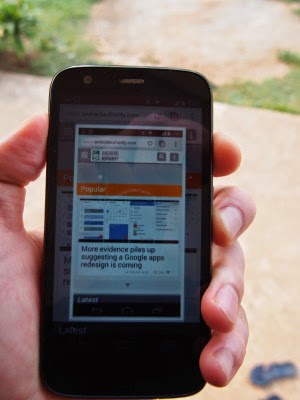
Instructions:
- Hold down the power button and Volume down button at the exact same time for 3 seconds (You may have to try it a few times to get the timing right)
- Wait until you hear a camera snapping sound and you’ll see the Lcd being captured on your phone.
- Go to the Gallery app, then go to Albums to find the Lcdshots folder. In that folder you will see all the Lcdshots that you took.
Wednesday, October 29, 2014
How to make a hidden folder in Desktop
blank character from Character map and after that change the folder icon with blank folder icon. Generally it is not used by users, because it can not hide your folder fully it remains on desktop but not visible until and unless one drag their mouse cursor on the desktop. Since it gets selected when we drag the mouse cursor on desktop it stands useless in hiding a folder. But you can use it as a prank and can show to your friends and have fun. I have learned this from one of my friends and want to share with you, hope you will like this.
1) Create a New Folder


Tuesday, October 28, 2014
How to post your Tweets to Facebook
Post your Tweets to Facebook,click on that



Sunday, October 26, 2014
How to Download Videos Online for Free With a Single Click
Got failed in downloading your favorite videos on your PC? Do you need a working tool to solve this problem? If your answer is YES, then I wish you are at the right place. Im going to show you some important online tools which can give the solution for your queries.
Also read: IDA-An alternative to IDM (Internet Download Manager)
Now you can download online videos for free from any website with one click. Lets see how to do it right now.

KeepVid

DownFacebook

Browser Extensions to Download Videos Online

FVD Downloader

- For Google Chrome: FVD Downloader.
- For FireFox: Flash Video Downloader.
Video Downloader Professional
Video Downloader Professionalis another Chrome browser extension to download and save videos on PC. I tried it but unable to download videos from Facebook and YouTube. Other than this, its working cool and does what it says.
- For Google Chrome: Video Downloader Professional.
How to find shortcuts in Windows 8
and I am the one of those. As I have already said that peoples have lots of issues with Windows 8, specially while its used by new users. Recently I have come across a shortcut issue, which I am going to discuss here. In this tutorial I will discuss the process of showing My Computer and My Document shorcuts on the Desktop.
What to do
You have to follow the following steps to bring the above mentioned shortcuts to your Desktop. Its really very simple.
1) Go to the Desktop
2) Right Click and go to Personalize
3) Click on Change desktop icons
4) Then select your required shortcuts from the available options (You can take the help of following screen shot)

If you get any problem while creating the shortcuts, you can contact me.
Saturday, October 25, 2014
Best Google Chrome Extensions to Enhance Your Web Browsing Experience
Also FireFox,Opera, IE and Safari has already got good reviews, but still Chrome continues to retain its Crown. It is because of its security features with updates. In this post, Im going to express some of the best Google Chrome extensions.
Chromium Wheel Smooth Scroller

Google Dictionary(by Google)
- Double-click on any word to view its synonym,meaning and definition in a small pop-up bubble.
- Select a word, then click the Google Dictionary tool, (right to the omni box search bar. i.e the toolbar) to view the complete definition.
- Store the history of words you look up to practice those words later on. To do that simply right-click the plugin in the tool bar, then choose options to configure it.

Panic Button

Turn OFF the Lights

Add This-Share & Bookmark

Saturday, October 18, 2014
How To Change Folder Colour in Windows
To change the colour of the folder in Windows machine, basic technical knowledge is enough. The supported Windows OSs are Windows XP/7/Vista/8 .
Read: 13 Funny Google Searches!!
So how to change the folder colour in Windows PC?
.png)
Cool. Just follow the simple steps which is given below:
- First, download the Folder Colorizer software app. The download link is given below at the end of this post.
- During the installation of Folder Colorizer, it only asks for the administrator privileges in order to change the systems default folder colour.
- After you have installed this software app, there is no need to open the app manually.
- Select a single folder or else select many folders.
- Right Click on which you want to change the folders colour.
- Browse for "Colorize!".
- This application comes with 8 predefined colours in which you can choose and also it allows you to pick up further more colours. To do that, click on colors...

- Then name your defined colour and also dont forget to click on +Add color in order to add the users defined colour to the task and hence it becomes very handy when next time you want to change the folder colour.
- If you wish to reverse the colour, i.e., if you want to restore the system protected colour, then Right Click on the folder, choose "Colorize" and then do a click on Restore original color.
- Even if you have uninstalled the Folder Colorizer app, the custom colour of the folder wont get changed to default. So you need to manually restore the original colour of the folder by using this app only.