Showing posts with label Hotspot. Show all posts
Showing posts with label Hotspot. Show all posts
Friday, November 14, 2014
Iridium Go is a satellite hotspot connecting to Android and iOS

We havent seen a lot of potable hotspots that connects your mobile computing devices from the satellite powers, than a very few limited ones, eventually. But, all that seems to be just an old bedtime story, folks, from the 90s, we are in 2014 and as now the United States based company operating satellite constellations, Iridium has gone officially introducing Go, the global online smartphone access.
The American incorporated makes this time around a great outdoor adventures friendly model, as the Iridium Go will be a very well built and rugged enough device, that can power you connections over satellites, from any slot of the planet, Earth. The unit will be shipped with support for up to five WiFi-enabled electronic products (smartphones, phablets, tablet) at once, to basically make phone calls with four hours limited talk time and even send text messages.
The Go pocket hotspot will also feature a dedicated SOS functionality on board, which will help its users get in contact with the nearest emergency services at a distance of a click. So far so good? To make the news even better for our obsessed Phones people, the new hotspot modem will bring along an application, reportedly named Iridium Go, again for your Android and iOS smartphone or tablets.
Source: Iridium, Engadget

Wednesday, October 1, 2014
How to Turn Huawei Ascend G615 a Wi Fi Hotspot
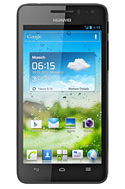
1. On your devices homeLcd touch
 .
.2. Go to Settings.
3. In the Wireless & Networks section, touch More...
4. Then select on Tethering and portable hotspot.
5. And select the Portable WiFi hotspot check box to share your mobile network.
If you want to secure or change your wifi hotspot name, just touch on Configure Wi-Fi hotspot.
Subscribe to:
Posts (Atom)