Thursday, November 6, 2014
Spigens cases for Samsung Galaxy S5 shows up in Amazon

And finally, it is that day, we were waiting for, as what you see above and below are the to be the South Koreans multinational manufacturers upcoming 2014 flagship handset, the Samsung Galaxy S5. Today, the giant case maker, Spigen posts up about seven new cases on the online retail megastore Amazon, for the yet to be announced front runner smartphone, the Galaxy S5.
The new protective cases from Spigen SGP are named as Shell Crystal, Capsule Clear, Capsule Gray, Capsule Metal Slate, Champagne Gold, Smooth Black and Smooth White. The products will be available for pre-orders from Amazons domain by 15th of April, 2014, at a price of $10.49, $13.99, $10.99, $13.99, $10.99, $13.99 and $13.99, respectively.
As we have the American case manufacturer, actually listing seven new cases, but only showing off six of them in pictures at the moment. Another note to mention from these new leaks is the phones physical home button, where the rumored fingerprint sensor is said to sit, has only appeared in three of them, while the remaining seems to be lacking. Accordingly, we have our detective eyes on the Koreans plan to bring along their unannounced device to the markets in two different versions, one with and another without the talked about physical home key. The unit also looks to slot a different colored home button, that is different from the shade of the chassis. But before we take everything just like that, it can be understood that these images can also be commercial mock ups from the Spigen, Inc. itself.
From the smartphones or cases whole design, we see a phone that is moreover flat in its style, and the main camera from the back side, looks like the one seen from its predecessor, the Samsung Galaxy S4, but of course a larger sensor with the dual LED flash light fitted right under the lens, reportedly of the dual-tone kind, with the speaker holes positioned towards the bottom corner. Other attributes like the volume up and down rockers are placed on the left side and the power key on the right.
.jpg)
.jpg)
Source: amazon

Wednesday, November 5, 2014
RDSL Remote DSL How to set it up
RDSL
How to setup RDSL or "Remote DSL"
First of all youll need a spare computer and a spare DSL line. These will need to be dedicated solely for your customers use. This means youll need a different computer and internet access for your personal use. Most cities have both DSL and cable modem service available, so get both.
Youll need to get your own DSL modem. The preferred models are the Motorola 2210 (approximately $80 USD) and the Actiontec GT701D (approximately $50 USD).
Some technical info:
When they install your DSL line, they create a name (email address) and password. This is stored in your DSL modem, and thats how it is granted access to the DSL line. This is knows as PPPoE. Later in this article Ill show you how to move the name and password to your computer, instead of on the modem. That way when you want to change the IP address, you simply run a script file that tells Windows to drop the connection, then dial it again. More on this later.
Here are the steps to setup the dedicated computer:
1. Install Teamviewer. Its free for personal use. After you install it send your client the Session ID and password.
2. Put the DSL modem in bridged mode. See the modems user manual for instructions. Click on the links I have provided above to view the manuals.
3. Create a PPPoE network connection under Windows XP. Click here for instrucions. The first time you connect the PPPoE connection you have the option to create a desktop shortcut, and to save the password. Check both.
4. Create a batch file named "ChangeIP.cmd" on the desktop. This is what your client will use to rotate the IP addresses. Also copy this to the following folder: "C:documents and settingsAll UsersStart MenuProgramsStartup"
Here are the contents of the batch file:
rasdial networkname /DISCONNECT
netsh interface ip delete arpcache
PING 1.1.1.1 -n 1 -w 6000 > NUL
rasdial networkname emailaddress password
Definitions:
networkname - the name of the PPPoE connection. More is explained below
emailaddress - The email account created when they installed your DSL line
password - the password associated with the above email address
For example: If your DSL provider is AT&T they will create an email like "john_doe@sbcglobal.net" when you create the PPPoE connection as described below, you would name the network "ATT" or similar, and use john_doe@sbcglobal.net as the username and the proper password to connect.
You can advertise your services for free on http://dsl4rent.com. You can also do a Google search for "remote DSL" and find lots of people who are looking to rent your computer. Also you can shoot me an e-mail and Ill do my best to refer you some customers.
Tuesday, November 4, 2014
Nokia is having something coming up this June 24

Conversations at Nokia team has posted a new teaser picture and they have let us know, the Finnish company has got something cooking in their pipeline for the 24th of this month, June. "Summer brings out our inner glow…", says Nokia in their new post. Theyve also got a countdown timer up there on their website, ticking the clock for the looming Tuesday morning.
Well, we actually dont know what the Redmond owned manufacturer from Finland roots are planning to bring on the aforementioned date, but the title words we read is like, "GREEN WITH ENVY", and the rendered picture you see above, with that green scheme all over is definitely making us look for a new Nokia X successor smartphone in tow. It has been a while, we have been hearing some fresh rumors of Nokia to launch a new Android powered smartphone from their existing X fleet, may be naming it as the Nokia X2.
So, the speculated smartphone is expected to come out of the box with a better and faster processor, could be hiked to a Dual-Core Qualcomm MSM8x10 Snapdragon 200 variant from the current Snapdragon S4 Play, also suggests an Adreno 305 Graphics Processing Unit from 203, 4.3-inches screen of same 480 x 800 resolution, with some more juice added to the RAM making it one gigabyte, now and running Androids version 4.3 Jelly Bean, lacking any dedicated Google Services on board.
Source: Nokia
Monday, September 29, 2014
How to Set Up Voicemail on Huawei Ascend G615
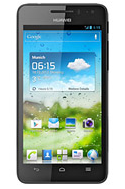
1. On your devices homeLcd touch
 and go to Settings.
2. Select Voicemail settings.
3. Tap on Voicemail number and enter your voicemail number.
4. Then tap on OK.
To listen to your voice messages, just press and hold the number 1 on the dialer and follow the instructions.