Showing posts with label desire. Show all posts
Showing posts with label desire. Show all posts
Monday, October 13, 2014
How to Set HTC Desire 816 into Sleep Mode
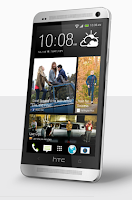 Like any other device, setting HTC Desire 816 into sleep mode will somehow save its battery life. Sleep mode puts your device into a lower power state while the display is off. It also prevents accidental button presses when its in your pocket or bag.
Heres how you can set HTC Desire 816 into sleep mode:
1. Briefly press on your devices Power button to turn off the display. Then switch to Sleep Mode.
2. To change the time before your device sleeps, just go to Display & buttons settings.
3. To wake it up, manually press the Power button and unlock your Lcd.
4. Your device will also automatically wakes up when you have an incoming call.
How to Extend Battery Life of HTC Desire 816

Friday, October 3, 2014
How to Send a Multimedia Message and Create a Slideshow on HTC Desire U
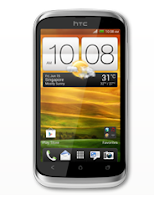
1. On your devices homeLcd, tap on
 and go to Messages.
2. Then tap on

3. On the To Field, key in a contact name, mobile number or email address. You can also send it to a group of friends by tapping on

4. To add a subject line, tap on
 and go to Add Subject.
5. Tap on the box that says Add text and there you can type in your special message.
6. Choose an attachment for your message by tapping on

7. After you browse and select an attachment, tap on Send or press
 to save it as a draft. You can also tap on
 to see options like replacing, viewing and removing your attachment.
Now if you wish your Mutimedia Message to reach an extra mile, you can have it on a slideshow format. Heres how you can create one:
once again and select Slide.2. Then choose where you want to insert the next slide.
3. When youre done adding the next slide, you can either do the following:
- tap onand choose to add a video or a photo
- tap onand then audio if you want to add a voice recording or a music to the slide
- tap on Add Text to add a caption
- tap onto view options like replacing, viewing or removing your attachment.
select Preview. If you dont see Preview, scroll down the menu. To view the playback controls, tap once the preview Lcd.5. When its all set and done, press on or tap on Send to save message as a draft.
or tap on Send to save message as a draft.Now you can make someones day a very special one with this creative and personalize MMS.
Sunday, September 28, 2014
How to Take Continuous Camera Shots on HTC Desire U
Follow these steps:
1. First, make sure that youre in Normal scene to use this feature.
2. On the Viewfinder Lcd, just press and hold on
 .
.- It should take 20 consecutive shots since it is the default settings.
- If you want to capture more than 20 shots, just tap on the Gear Icon or Settings, then Continuous shooting. After that, clear the Limit to 20 frames option.
3. You can also select the photo that you like most by tapping Best shot. If you dont want the other photos, then you can delete it.
Thursday, September 25, 2014
How to Set HTC Desire SV into Sleep Mode

Like any other device, setting HTC Desire SV into sleep mode will somehow save its battery life. Sleep mode puts your device into a lower power state while the display is off. It also prevents accidental button presses when its in your pocket or bag. Heres how you can set HTC Desire SV into sleep mode.
1. Briefly press on your devices Power button to turn off the display. Then switch to Sleep Mode.
2. To change the time before your device sleeps, just go to Display, then gestures & buttons settings.
3. To wake it up, manually press the Power button and unlock your Lcd.
4. Your device will also automatically wakes up when you have an incoming call.
1. Briefly press on your devices Power button to turn off the display. Then switch to Sleep Mode.
2. To change the time before your device sleeps, just go to Display, then gestures & buttons settings.
3. To wake it up, manually press the Power button and unlock your Lcd.
4. Your device will also automatically wakes up when you have an incoming call.
Saturday, August 30, 2014
Comparison HTC Desire V vs Sony Xperia J
Comparison: HTC Desire V vs Sony Xperia J - Sony Xperia J and V are both present HTC Desire using Android OS 4.0 Ice Cream Sandwich. Sony promises will deliver updates for Xperia J. Jelly Bean For performance, the Sony Xperia HTC Desire J and V are both powered by a Qualcomm MSM7227A chip with support Snapdragon 1GHz single-core processor and Adreno 200 GPU.
Sony Xperia and HTC Desire J V is equipped with 512MB of RAM, and has an internal memory capacity of 4GB. Both come equipped with a microSD slot up to 32GB.
Sony Xperia and HTC Desire J V is equipped with 512MB of RAM, and has an internal memory capacity of 4GB. Both come equipped with a microSD slot up to 32GB.
Sony Xperia HTC Desire J and V both have a 4-inch touch screen. But screen Sony Xperia J has a higher resolution. Screen Sony Xperia J also more resilient because coated with Corning Gorilla Glass, and Xperia J is also equipped with Sony Mobile BRAVIA Engine technology.
Sony Xperia and HTC Desire J V, both equipped with a 5 megapixel main camera. Xperia J is also equipped with a VGA front camera, while the Desire V is not equipped with a front camera.
For connectivity features, both equipped with features such as 3G network support HSDPA and HSUPA, Wi-Fi b / g / n with DLNA and touch focus, Bluetooth, GPS, and microUSB port. HTC Desire Android smartphone V is a dual SIM GSM, while the Sony Xperia J has only one SIM card slot.

For mains, Sony Xperia J is equipped with a battery capacity of 1750mAh, while the HTC Desire V is equipped with a battery capacity of 1650mAh.
Both devices have a much price difference, even though both have similar specs. So I prefer the Sony Xperia J. But if you want a branded Android smartphone with dual SIM support, you can choose the HTC Desire V.
Sony Xperia J
Sony Xperia J comes with 4GB of internal memory plus a microSD slot, 5 megapixel camera, and a 1750mAh capacity battery, FM radio, Wi-Fi, Bluetoot, GPS, and a VGA front camera.

HTC Desire is a smartphone based on Android V 4.0 Ice Cream Sandwich which comes with dual SIM GSM + GSM. HTC Desire V has a 4-inch touch screen with a resolution of 480 x 800 pixels and uses display HTC Sense 4.
![HTC]()
HTC Desire V is powered by a 1GHz single-core processor, Adreno 200 GPU and 512MB RAM. HTC Desire V is also equipped with 4GB ROM, 5 megapixel camera with 720p HD video recording capability, support for 3G HSDPA networks, Wi-Fi, Bluetooth 3.0, microSD slot, and a battery capacity of 1650mAh.

HTC Desire V is powered by a 1GHz single-core processor, Adreno 200 GPU and 512MB RAM. HTC Desire V is also equipped with 4GB ROM, 5 megapixel camera with 720p HD video recording capability, support for 3G HSDPA networks, Wi-Fi, Bluetooth 3.0, microSD slot, and a battery capacity of 1650mAh.
Subscribe to:
Posts (Atom)