Showing posts with label into. Show all posts
Showing posts with label into. Show all posts
Wednesday, November 5, 2014
Geeksphone Revolution steps into sales
.jpg)
The Android powered handset with an Alternative OS on board is here for the public consumers, from the makers know for manufacturing something different each time, the Geeksphone Revolution. Today the company has brought up the phone for sales from the official domain.
As said previously, the phone will come out of its box with a Dual-Core 1.6GHz Intel Atom Z2560 Central Processing Unit (CPU), a 4.7-inches IPS qHD screen of 960 x 540 resolution display, four gigabytes of internal storage with one gigabyte of Random Access Memory (RAM), an eight megapixels main camera on the back with LED flash light, capable of capturing 1080p videos at 30 frames-per-second and a two megapixels front facer, 3G HSPA connectivity support, a 2,000mAh powered battery and maintaining Android as its primary operating system, compensating Boot2Gecko by Mozilla, featuring Firefox OS side by side, with a neat dual-boot interface setup. The handset can also read any community supported ROMs, by allowing users to update them over-the-air.
The smartphone is now available for grabs from the Spanish companys webpage at a price of 222 Euros, which is around 305 United States Dollars, where the firm offers international shipping.
Source: Geeksphone shop

Monday, October 13, 2014
How to Set HTC Desire 816 into Sleep Mode
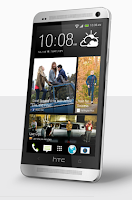 Like any other device, setting HTC Desire 816 into sleep mode will somehow save its battery life. Sleep mode puts your device into a lower power state while the display is off. It also prevents accidental button presses when its in your pocket or bag.
Heres how you can set HTC Desire 816 into sleep mode:
1. Briefly press on your devices Power button to turn off the display. Then switch to Sleep Mode.
2. To change the time before your device sleeps, just go to Display & buttons settings.
3. To wake it up, manually press the Power button and unlock your Lcd.
4. Your device will also automatically wakes up when you have an incoming call.
How to Extend Battery Life of HTC Desire 816
Thursday, September 25, 2014
How to Set HTC Desire SV into Sleep Mode

Like any other device, setting HTC Desire SV into sleep mode will somehow save its battery life. Sleep mode puts your device into a lower power state while the display is off. It also prevents accidental button presses when its in your pocket or bag. Heres how you can set HTC Desire SV into sleep mode.
1. Briefly press on your devices Power button to turn off the display. Then switch to Sleep Mode.
2. To change the time before your device sleeps, just go to Display, then gestures & buttons settings.
3. To wake it up, manually press the Power button and unlock your Lcd.
4. Your device will also automatically wakes up when you have an incoming call.
1. Briefly press on your devices Power button to turn off the display. Then switch to Sleep Mode.
2. To change the time before your device sleeps, just go to Display, then gestures & buttons settings.
3. To wake it up, manually press the Power button and unlock your Lcd.
4. Your device will also automatically wakes up when you have an incoming call.
Subscribe to:
Posts (Atom)