Showing posts with label G615. Show all posts
Showing posts with label G615. Show all posts
Wednesday, October 1, 2014
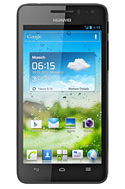
How to Turn Huawei Ascend G615 a Wi Fi Hotspot
1. On your devices homeLcd touch
 .
.2. Go to Settings.
3. In the Wireless & Networks section, touch More...
4. Then select on Tethering and portable hotspot.
5. And select the Portable WiFi hotspot check box to share your mobile network.
If you want to secure or change your wifi hotspot name, just touch on Configure Wi-Fi hotspot.

Monday, September 29, 2014
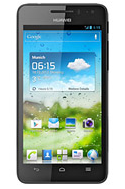
How to Set Up Voicemail on Huawei Ascend G615
1. On your devices homeLcd touch
 and go to Settings.
2. Select Voicemail settings.
3. Tap on Voicemail number and enter your voicemail number.
4. Then tap on OK.
To listen to your voice messages, just press and hold the number 1 on the dialer and follow the instructions.
Subscribe to:
Posts (Atom)