Showing posts with label Canon. Show all posts
Showing posts with label Canon. Show all posts
Thursday, October 9, 2014
How to Fix Error E16 on Canon MP258
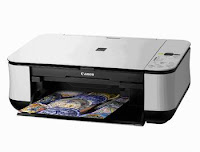 This time we will discuss Error E16 on Canon MP258 Printer. This incident may be quite confusing for those who have never experienced it.
 Early indications:
When the printer is turned on the LCD panel shows the numbers 1 and appears to be OK, but after the print command, then it will appear an error E16 on CanonMP258.
The following image is displayed on the monitor screen:
How to Fix Error E16 on Canon MP258 Printer as follows:
- If error E16 appeared with the image above, it means that the color cartridge need reset (experience the run out).
- Press the STOP/RESET button somewhat longer (5-15 sec) until the LCD panel rotates, then release.
- If the error appears again E13/16 black cartridge, it means also need reset (experience the run out), and the picture is as follow:

- Do the same: press the STOP/RESET LCD panel a little long to spin, then release.
- Finished, the error MP258 printer E16 will be normal again.
This often occurs when a cartridge is exhausted over refill then install again.
Good Luck

Saturday, September 27, 2014
Canon iP2770 Blink 16x Reset
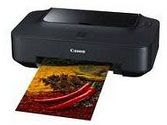
This time will be sharing experience about Canon iP2770 Blink Orange 16x. This case may be quite confused if youve never experienced it. OK lets see together.
Early indications:
When the printer is turned on appears to be OK, but after the print command,
then the Canon iP2770 will Blink Orange 16x. This case occurred well after you reset the Printer iP2770. The following image is displayed on the monitor screen:
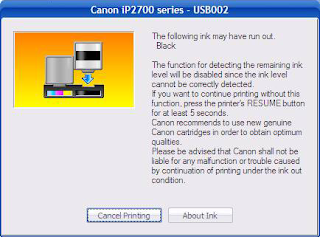
How to troubleshoot a Canon iP2770 Blink Orange 16x:
- Run the command print, you can print just about anything, and then it will blink iP2770 16x.
- If it appears Canon iP2770 Blink Orange 16x, meaning the color cartridge iP2770 need reset (experience the run out).
- The solution: press the resume button somewhat longer until the green light flashes, then release.
- If the Canon iP2770 Blink Orange 16x again, meaning black cartridge also need reset (experience the run out)
- The solution is the same: press the resume is rather long until green light flashes, then release.
- Printer Canon iP2770 Blink Orange 16x your print command will print and iP2770 will return to normal.
This often happens when the cartridge out finished refilled then installed again, also occurs after you perform a reset on ip2770.
Good luck.
Canon MP258 Error E13
This time we will discuss Canon MP258 printer Error E13. This incident may be quite confusing for those who have never experienced it. OK just go ahead and go to the point.
Early indications:
When the printer is turned on the LCD panel shows the numbers 1 and looks OK, but after the print command, then it will show up on this error E13 MP258. These images appeared on the screen monitor wrote:

How To Resolve Canon MP258 printer Error E13:
- If error E13 appears with the image above, it means that cartridge color need reset (experience run out).
- Press the STOP/RESET LCD panel a little long to spin, then release.
- If the error appears again, E13 means black cartridge also need reset (experience run out), and the picture is as follow:

- Do the same: press the STOP/RESET LCD panel a little long to spin, then release.
- Completed, Canon MP258 printer Error E13 will be normal again.
Good luck
Subscribe to:
Posts (Atom)