Showing posts with label Backup. Show all posts
Showing posts with label Backup. Show all posts
Monday, October 13, 2014
How to Use App Backup on ASUS PadFone Infinity

1. On the All apps Lcd, touch on App Backup.
2. Now accept the End User License Agreement.
3. After youve read the welcome message, touch Start to start using App Backup.
4. To back up your apps, tick the apps youd like to back up and determine a Backup Type whether to backup the app data only or both the app and app data.
5. Touch Backup on the upper right corner of the Lcd to start the backup.
6. To restore an app, just touch the Restore List to display the Restore List page.
7. Then touch a backup file you want to restore.
8. And touch OK on the confirmation page to start restoring an app.

Monday, September 29, 2014
How to Backup and Factory Reset Alcatel One Touch 993D
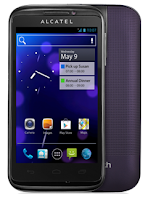
Luckily in Alcatel One Touch 993D you can backup your phone settings and other application data to Google Servers before wiping all the data on your phone. But if you want to erase all the content on your phone, then there’s no need for you to backup your data.
How to Activate the Backup Function:
• Tap on the Menu key from Home Lcd.
• Select Settings > Backup & reset > Back up my data.
• Then mark the checkbox.
How to Factory Reset:
• Tap on the Menu key from Home Lcd.
• Select Settings > Backup & reset > Factory data reset.
• Then mark the checkbox.
If you are unable to turn on your Alcatel One Touch 993D, then you may need to do the hard reset. Press and hold the Volume up key and the Power key at the same time until the Lcd light up. This process will also factory reset your device.
Subscribe to:
Posts (Atom)