Showing posts with label app. Show all posts
Showing posts with label app. Show all posts
Monday, October 13, 2014
How to Use App Backup on ASUS PadFone Infinity
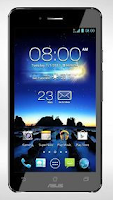
1. On the All apps Lcd, touch on App Backup.
2. Now accept the End User License Agreement.
3. After youve read the welcome message, touch Start to start using App Backup.
4. To back up your apps, tick the apps youd like to back up and determine a Backup Type whether to backup the app data only or both the app and app data.
5. Touch Backup on the upper right corner of the Lcd to start the backup.
6. To restore an app, just touch the Restore List to display the Restore List page.
7. Then touch a backup file you want to restore.
8. And touch OK on the confirmation page to start restoring an app.

Friday, September 19, 2014
Redesigned Revamped Google App for Android
Google has finally launched the new look for its Google + which is the new Buzzing Social network. After a huge face lift for Google + Web version, it’s time now to get a facelift for mobile app as well. So, to start with Google rolled out its redesigned look for its Android users and then in coming days we will get to see the roll out happen on iOS front as well. So, let’s check out on what are the highlight features of this new Google Plus along with the Download Link of this new App.


Highlights of Google +:
- Enjoy magazine style layout in the tablet version
- Automatically share photos to an Event with Party Mode
- Turn on Auto Backup to save full resolution photos and videos privately on Google+
- Check out the What’s Hot stream to see trending topics
- View the Nearby stream to see what people near your location are saying
- Automatically share photos to an Event with Party Mode
- Turn on Auto Backup to save full resolution photos and videos privately on Google+
- Check out the What’s Hot stream to see trending topics
- View the Nearby stream to see what people near your location are saying
New Features:
- Photo deletion is now possible and can be done directly from the Photos view,
- Tapping the shared post with+1s, comments, and reshares
- Re designed new slide-out menu has finally been incorporated
To Download this latest Google + for your Android smartphone / tablet, all you need to do is to download the APK from the below mentioned link or alternatively, you can also download the same from the Google PLAYS tore.
Sunday, September 7, 2014
Make notes on iPhone iPad App Simplenote
Make notes on iPhone & iPad App :Simplenote - Simplenote is an app where you can write notes and memos on the iPad in a way that is simple and easy, this editor is not only available for the PC but also for the iPad, iPhone, iPod Touch and other mobile devices, this application has been updated to the latest version led to improvements in functionality and new features such as connecting to a Dropbox account.

Simplenote has a feature to synchronize notes that we have another device to a computer or Web services. One of the main features of this application is to write notes and memos on the iPad, note p [enting the form of an idea, meeting dates, events and all kinds of information. Simplenote is available for download from the app store for free.
Friday, September 5, 2014
SMS App With Voice Commands Textn Drive
Opening and reply to email or SMS while driving can cause fatal accidents. What if the sms or email into the inbox was a message that is important and needs to be returned. There is a solution, we find an app for Android, and BlackBerry IOS can you use to respond to email and also SMS through voice commands.
TextnDrive is an application that not only use to reply to emails by voice but can also be used as a reader email and sms in your inbox. TextnDrive available in two versions free and premium.
TextnDrive is an application that not only use to reply to emails by voice but can also be used as a reader email and sms in your inbox. TextnDrive available in two versions free and premium.

TextnDrive pro version has the ability to reply to emails and sms messages using voice, while for the free version can only be used to read incoming messages only.
[ Visit Download TextnDrive ]
[ Visit Download TextnDrive ]
Subscribe to:
Posts (Atom)