Showing posts with label battery. Show all posts
Showing posts with label battery. Show all posts
Thursday, October 2, 2014
How to Extend Battery Life of Nokia Lumia 520
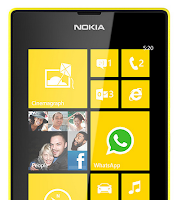
• Turn on the power-saving option on the device. Then lessen the Lcd brightness and the Lcd lock timeout. On the Home Screen, swipe left, then tap on the Gear Icon or Settings > Battery saver.
- Be reminded that when your phone goes into battery saver mode, you may not be able to change the settings of all apps.
- If you want to change the settings of the Battery saver, tap on Advanced.
• Turn down your device volume with the volume keys.
• Close any apps or features when you are done using it so they will not continuously running in the background.
• Turn off the network connection if you are out of range so that your device will stop searching for a network signal.
• You should use the latest version of the software update. Software updates improves some features and fixes some bugs on the previous software version.
• Turn off the camera flash.
• The camera viewfinder can be a power drain, so after youve finished taking photos, press the left arrow key.
Also check: Nokia Lumia 520 Tips and Tricks

Monday, September 29, 2014
How to Extend Battery Life of HTC One Evo 3D
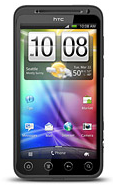
Battery Life depends on how you use your device. For HTC One Evo 3D device, if you want to save your battery to last longer hours, you may need to adjust your settings. Follow these suggestions:
• Turn on the power-saving option on the device. Then lessen the Lcd brightness and the Lcd lock timeout.
1. On your Home Lcd, press the Three Horizontal Line icon.
2. Select Settings, and.tap Power.
3. Choose the Enable power saver check box.
4. Tap to turn power saver on.
5. Tap Power saver settings, and then set and select the behavior when HTC EVO
3D switches to power saving mode.
• Turn down your device volume with the volume keys.
• Close any apps or features when you are done using it so they will not continuously running in the background.
• Turn off the network connection if you are out of range so that your device will stop searching for a network signal.
• You should use the latest version of the software update. Software updates improves some features and fixes some bugs on the previous software version.
• Turn off the camera flash.
• The camera viewfinder can be a power drain, so after youve finished taking photos.
• Turn on the power-saving option on the device. Then lessen the Lcd brightness and the Lcd lock timeout.
1. On your Home Lcd, press the Three Horizontal Line icon.
2. Select Settings, and.tap Power.
3. Choose the Enable power saver check box.
4. Tap to turn power saver on.
5. Tap Power saver settings, and then set and select the behavior when HTC EVO
3D switches to power saving mode.
• Turn down your device volume with the volume keys.
• Close any apps or features when you are done using it so they will not continuously running in the background.
• Turn off the network connection if you are out of range so that your device will stop searching for a network signal.
• You should use the latest version of the software update. Software updates improves some features and fixes some bugs on the previous software version.
• Turn off the camera flash.
• The camera viewfinder can be a power drain, so after youve finished taking photos.
Wednesday, September 3, 2014
Smartphone Security Test The Most Powerful Battery Durable
The most common problems faced by owners of Smartphone is not a long battery life and run out quickly, but of the many smartphones that are available on the market there are a few smartphones that have the longest battery life.
test battery of the smartphone set and seen if Motorola RAZR maxx DROID is equipped with a 3300mAh battery can produce better battery performance than other smartphone in the tests performed
Test batteries are made to the smartphone include three different categories namely Browsing, Video Playback and Talk Time. In terms of talk time, Battery Motorola Razr Maxx Droid can last up to 20 hours more, Smasung Note Galaxy, can last up to 12 hours and HTC Series One is in third position with a time of 11 hours, look at the picture.
test battery of the smartphone set and seen if Motorola RAZR maxx DROID is equipped with a 3300mAh battery can produce better battery performance than other smartphone in the tests performed
Test batteries are made to the smartphone include three different categories namely Browsing, Video Playback and Talk Time. In terms of talk time, Battery Motorola Razr Maxx Droid can last up to 20 hours more, Smasung Note Galaxy, can last up to 12 hours and HTC Series One is in third position with a time of 11 hours, look at the picture.

And still, the battery is the most durable in the conduct of whom have web browsing can last up to 7 hours and 23 minutes, see picture for more details:


Saturday, August 30, 2014
HTC battery bank short review
Lately Ive been using one of the best phone accessory Ive ever had. And the funny part is, I didnt suspect it to be that great. But lets start from the beginning!
Full name of that red & black little thing is "HTC External Battery Bank for all Micro USB Handsets".

What is so great about it? In simple words - its small and can save your butt in many situations. The capacity of 6000 mAh is enough for full two charges. What is more - due to dual charging port - USB port and micro USB port - its compatible with most new smartphones.

Its quite small (9,7 x 4,2 x 2,2) so you can take with you everywhere. Not really useful when you are in the car (better to use car charger) but quite handy in the train, bus, boring lecture or long day trip outside the city.
At the top youll find a button. Once pressed, the lights in front of the battery bank will indicate how much power left inside. Very nice!

As I wrote before, the size is great, but as most of you probably think - things can always get smaller! I dont know if its possible to make such battery bank smaller (at least now) but the current size should not be an issue. If you have enough space to carry 4-inch screen device or bigger, then you surely will find extra space for this external battery bank.

When battery bank is discharged, simply plug it to any device with USB port (can be notebook) or regular charger. It will take few hours to full charge, but afterwards its ready to be your lifelong companion!

Described battery bank comes with a micro USB cable with a length of 15cm. What I really miss here is some kind of holder for that cable integrated with the battery bank. Some simple plastic holdfast would be really great and wont take much space. HTC, maybe something worth to consider?
BlackBerry Battery Saving Tips
BlackBerry Battery Saving Tips - The risk of having a smartphone is a wasteful batteries. This is because the features offered fitu require considerable power, it also occurs on the BlackBerry.
In anticipation, here are tips to save battery on your BlackBerry smartphone:
Select the operator that has a stable network, so that the device is not always looking for signalsIn anticipation, here are tips to save battery on your BlackBerry smartphone:
Turn off unused features like wifi and bluetooth.
Set the screen brightness to a low level, but you still comfortable to view.
Change the backlight time out to be as fast as possible.
When the BlackBerry is not used, it helps activate the standby mode.
Choose one of the network only as a road for Blackberry operate, either 3G or 2G only. But if you are in the area there is no network signal, do not take risks. Just turn off your blackberry because your device will automatically perform a search signal. This is an increasingly suck up more battery power.
Usage is very interesting ringtones. But sometimes the ringing tone used in conjunction with vibration. Using both allegedly requires considerable battery power. Therefore, it is better if you use one feature, ring tone or vibrate.
If you are using a ringtone or vibrate only, use LED indicator had little influence on the Blackberry. Therefore, if the LED indicator is positioned in an Off then this process can make batteries more efficient.
Set your BlackBerry device to turn on and off automatically.
Keep the battery connections. Every few months, use a cotton swab or dry cloth to clean the metal contacts on the battery and the device.
Delete the original message when you send a reply.
Send a message to multiple contacts using Add To, Add Cc, or Add Bcc.
Turn off the flash (flash) on the camera.
Close third-party applications from the application menu when you are finished using it.
Change your browser options for animated graphics so that they repeat less often on web pages.
Subscribe to:
Posts (Atom)