Showing posts with label Extend. Show all posts
Showing posts with label Extend. Show all posts
Thursday, October 2, 2014
How to Extend Battery Life of Nokia Lumia 520
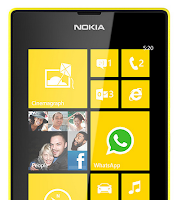
• Turn on the power-saving option on the device. Then lessen the Lcd brightness and the Lcd lock timeout. On the Home Screen, swipe left, then tap on the Gear Icon or Settings > Battery saver.
- Be reminded that when your phone goes into battery saver mode, you may not be able to change the settings of all apps.
- If you want to change the settings of the Battery saver, tap on Advanced.
• Turn down your device volume with the volume keys.
• Close any apps or features when you are done using it so they will not continuously running in the background.
• Turn off the network connection if you are out of range so that your device will stop searching for a network signal.
• You should use the latest version of the software update. Software updates improves some features and fixes some bugs on the previous software version.
• Turn off the camera flash.
• The camera viewfinder can be a power drain, so after youve finished taking photos, press the left arrow key.
Also check: Nokia Lumia 520 Tips and Tricks

Monday, September 29, 2014
How to Extend Battery Life of HTC One Evo 3D
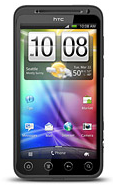
Battery Life depends on how you use your device. For HTC One Evo 3D device, if you want to save your battery to last longer hours, you may need to adjust your settings. Follow these suggestions:
• Turn on the power-saving option on the device. Then lessen the Lcd brightness and the Lcd lock timeout.
1. On your Home Lcd, press the Three Horizontal Line icon.
2. Select Settings, and.tap Power.
3. Choose the Enable power saver check box.
4. Tap to turn power saver on.
5. Tap Power saver settings, and then set and select the behavior when HTC EVO
3D switches to power saving mode.
• Turn down your device volume with the volume keys.
• Close any apps or features when you are done using it so they will not continuously running in the background.
• Turn off the network connection if you are out of range so that your device will stop searching for a network signal.
• You should use the latest version of the software update. Software updates improves some features and fixes some bugs on the previous software version.
• Turn off the camera flash.
• The camera viewfinder can be a power drain, so after youve finished taking photos.
• Turn on the power-saving option on the device. Then lessen the Lcd brightness and the Lcd lock timeout.
1. On your Home Lcd, press the Three Horizontal Line icon.
2. Select Settings, and.tap Power.
3. Choose the Enable power saver check box.
4. Tap to turn power saver on.
5. Tap Power saver settings, and then set and select the behavior when HTC EVO
3D switches to power saving mode.
• Turn down your device volume with the volume keys.
• Close any apps or features when you are done using it so they will not continuously running in the background.
• Turn off the network connection if you are out of range so that your device will stop searching for a network signal.
• You should use the latest version of the software update. Software updates improves some features and fixes some bugs on the previous software version.
• Turn off the camera flash.
• The camera viewfinder can be a power drain, so after youve finished taking photos.
Subscribe to:
Posts (Atom)