Showing posts with label Z. Show all posts
Showing posts with label Z. Show all posts
Friday, October 3, 2014
How to Screen Mirror Sony Xperia Z to Show the Screen on a TV
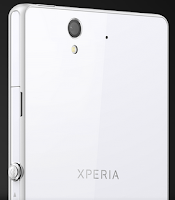
How to mirror the Lcd of your phone on a TV:
1. First you need to turn on the Lcd mirroring function on your TV. Just follow the instructions in the User Guide of your TV.
2. From your Home Lcd, tap on the Menu icon

3. Select on Settings, and tap Xperia™.
4. Choose Screen mirroring.
5. Tap to turn on the Screen mirroring and select a device.
Note: The TV that you want to connect with must support Lcd mirroring for the above described functionality to work. If it does not support, then you can try the Throw feature. Go to Settings > Throw feature.

Friday, September 26, 2014
How to Turn on Mobile Bravia Engine on Sony Xperia Z
1. On your devices homeLcd, tap .
.
.2. Then find and tap Settings.
3. Go to Display.
4. And mark the Mobile BRAVIA Engine 2 checkbox if its not marked.
Now youre ready to view those captured moments in a clearer, sharper and more natural way.
Subscribe to:
Posts (Atom)