Showing posts with label Email. Show all posts
Showing posts with label Email. Show all posts
Tuesday, September 30, 2014
How to Setup an Email Account on Alcatel One Touch 993D
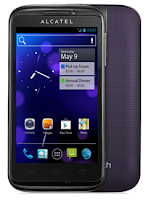
How to setup your an email, follow these steps:
• On your HomeLcd, touch on the Application tab.
• There should an email wizard that will guide you through process in setting up an email.
• Enter the email address and password of the account you want to set-up.
• Then tap Next. (You will be prompted to go to email account settings to enter settings manually, if the account is not provided by your service provider.)
• You can also tap on Manual setup to directly enter the incoming and outgoing settings for the email account you are setting up.
• Enter your preferred account name and display name in outgoing emails.
• If you want to add another email account, just tap on Menu key > Settings > Add Account on the right of the title to create.

Subscribe to:
Posts (Atom)