Showing posts with label widgets. Show all posts
Showing posts with label widgets. Show all posts
Sunday, September 28, 2014
How to Add Remove Resize Widgets and Shortcuts on Motorola Atrix HD
To add a Widgets and Shortcuts:
- Go to Apps.
- Tap and hold on the app or widget.
- Drag it to one of your home Lcd pages.
- If you want to see all your apps and widgets, swipe the app Lcd to the left.
- Or you may also tap Apps or Widgets at the top.
- If you want to see all your favorite apps, just tap on the Star icon or Favorites.
- Tap on Add/Remove to edit your favorite apps.
There are also app that include special widgets. If you want to download apps, just tap on Apps, then select Play Store.
To resize widgets:
- Some widgets are resizeable, simply tap and hold on a widget you want to resize until it vibrates.
- Then drage the blue diamonds at the edges to change the size.
To move or delete widgets and shortcuts:
- Tap and hold on a widget you want to delete/move until it vibrates.
- Then drag it to another spot/page, you simply Remove at the top of the Lcd.

How to Add or Remove Widgets on Motorola Atrix 2
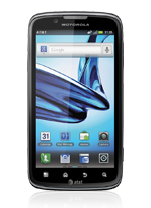
Adding Widgets on your HomeLcd will help you improve your productivity in using your Motorola Atrix 2. If you dont know what widgets means, Widgets are small applications that you can directly use on your HomeLcd. These will serve as your shortcut icon so will no longer need to access the Menu.
To add a Widgets:
There are also app that include special widgets. If you want to download apps, just tap on Apps, then select Play Store.
To move or delete widgets:
To add a Widgets:
- Go to Apps.
- Tap and hold on the widget.
- To change your wallpaper, tap and hold an empty spot on the home Lcd.
- You can also add a folder to organize your shortcuts.
There are also app that include special widgets. If you want to download apps, just tap on Apps, then select Play Store.
To move or delete widgets:
- Tap and hold on a widget you want to delete/move until it vibrates.
- Then drag it to another spot/page, or simply Remove at the top of the Lcd.
Sunday, September 7, 2014
15 Best Android Widgets for Your Productivity and Enjoyment
Widgets are are an extremely cool feature on the Android which the iPhone does not have. These Android widgets are very handy and enjoyable because they are easily accessible in just a split second and can provide useful information for the user. I have compiled a list of the best android widgets for you to enjoy.


Android Widgets
- Battery Watcher
This widget gives you the percent battery life available.
- Extended Controls
A very useful widget which allows you to edit the settings on your android.
- Google Maps
A well developed map by Google which will help you navigate the planet.
- Flight Track
Get real time updates of your flights status and worldwide map tracking. - Pandora
Listen to the best personalized radio station on the go. - Advanced Task Killer
A useful tool for killing running applications on your droid. If you cant get an application to close, this widget will certainly do the job. - Twitter
Tweet your friends with this awesome twitter widget. - Barcode Scanner
Scan the barcode on any product and this android widget will look it up for you. - Sports Tap
Stay up to date with sports. Including NFL, MLB, NBA, NHL, NCAA, nascar, football, soccer, baseball, and hockey. - Pure Messenger Widget
The all in one combined messaging widget for Gmail, email, SMS, Twitter, Calls, and Facebook. - Weather & Toggle Widget
The greatest weather widget for the android. - Pure Grid Calendar Widget
A great android widget which will help keep you organized. The widget syncs with your google calendar. - Facebook for Android
Stay connected with your friends on the facebook social network. - Analytics Widget
See your websites visitors instantly and view your google analytics info immediately as well. - Where
Look up places in your area and get ratings and recommendations.
Subscribe to:
Posts (Atom)